HELP CENTER · SHARING
Send every guest their personal guide link, automatically
Every reservation synced from Airbnb gets its own personal guide link: tabellara.com/s/ followed by the booking's confirmation code. Airbnb's scheduled messages can send that link automatically because Airbnb fills in the confirmation code for you. Set it up once and every future guest gets their link five minutes after booking.
What you'll do
Step 1. Open scheduled quick replies
- In Airbnb, open Messages.
- Click the + symbol and choose View scheduled quick replies.
Step 2. Schedule a message
- In the window that opens, choose Schedule a message.
Step 3. Name the template and paste ours in
- Give the template a title such as Tabellara Guide.
- Copy the template below and paste it into the message area.
- Highlight the [guest first name] text and click Add details at the bottom.
Hi [guest first name],

Thank you so much for booking with us!

Your personal guest guide is ready: WiFi, check-in details, house info, and our favorite local recommendations, all in one place. You'll find it here:

https://tabellara.com/s/[confirmation code]

Thanks,
[your name]
Step 4. Insert the guest's first name
- Choose Guest first name and click Done.
Step 5. Highlight the confirmation code placeholder
- Highlight [confirmation code] and click Add details again.
The confirmation code has to sit right after the /s/ in the link with no space in between. That is what makes each guest's link theirs.
Step 6. Insert the confirmation code
- This time choose Confirmation code in the Trip information section and click Done.
Step 7. Sign it
- Change [your name] to your first name. The template is done.
Step 8. Choose your listings
- On the right, click Edit next to Choose listings and apply the template to the listings you have published in Tabellara.
- Click Edit next to Scheduled for.
Step 9. Set the schedule
- Select 5 minutes after a guest books and click Apply.
Step 10. Save
- Click Save. You are done.
Common questions
What exactly does the guest receive?
A normal Airbnb message from you, five minutes after booking, with a link like tabellara.com/s/HMABC12345 where the code is their reservation's confirmation code. Opening it shows your guide with a personal greeting, their stay dates and their party size.
Will the link work if the guest opens it right away?
Yes. New bookings sync to Tabellara within moments of confirmation, and the five-minute send delay adds headroom on top of that.
What about guests who already booked before I set this up?
Scheduled messages only send for new bookings going forward. For current and upcoming stays, open Reservations in your dashboard: every reservation has a Copy stay link button you can paste into the Airbnb thread.
I message guests through Hospitable, OwnerRez or Guesty. Do I still need this?
No; do it there instead, and it is even quicker because those tools fill in their merge codes without any highlighting. Open Reservations, click Show setup, and pick your platform for a paste-ready template.
Does the link expose anything private?
The page shows the guest's first name and stay dates, nothing else, and the link only exists for someone who has it. Codes are effectively unguessable, the pages are excluded from search engines, and cancelled reservations stop resolving.
Go further
A guidebook is the start of the stay. These run on it, at the same properties, from the same dashboard.
Guest WiFi
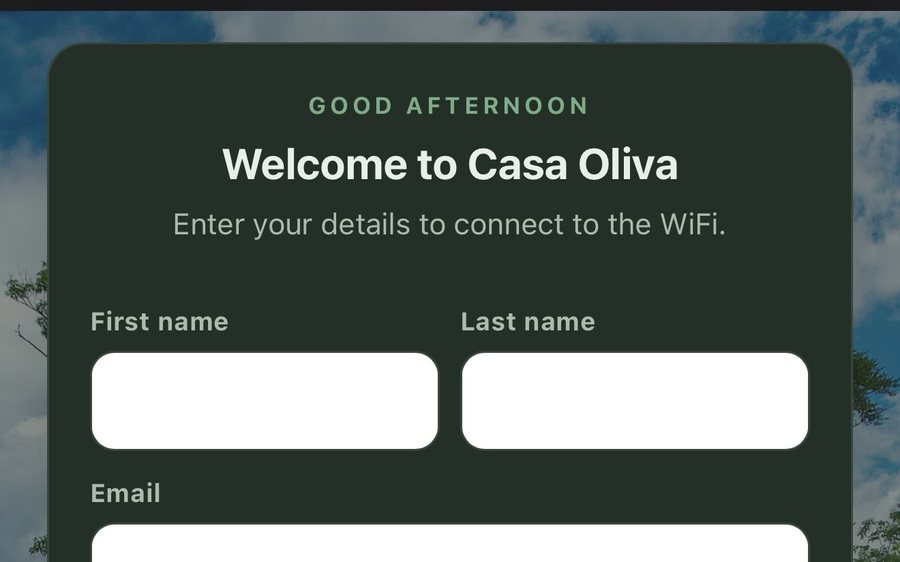
Guests join your network through a branded sign-in page and land in the guidebook. Every name and email is yours to keep. Runs on the UniFi gear you already own: $6 a network, the first free for 30 days.
Guest TV
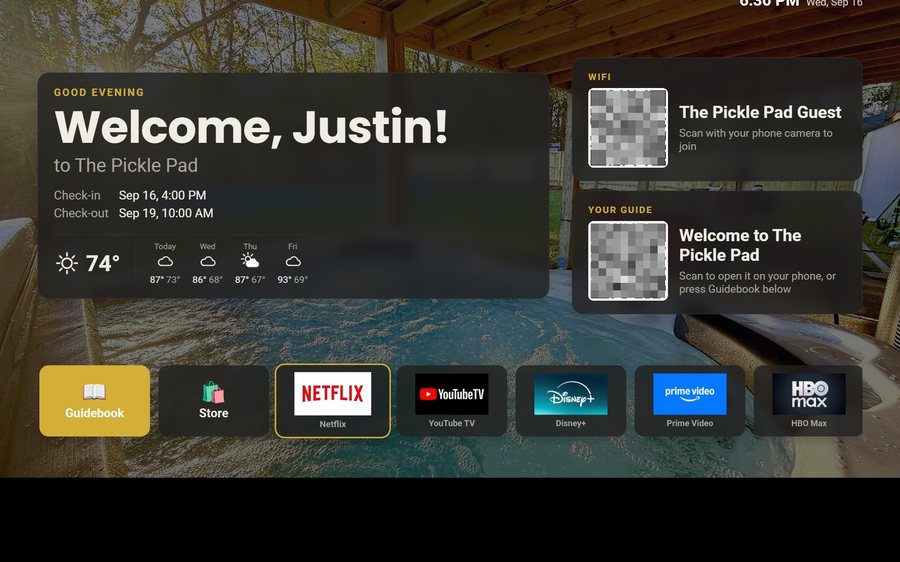
Your guidebook on the onn or Google TV in the living room: a welcome by name, the WiFi and guide codes on screen, and every app signed out at checkout. $6 a property for up to three TVs, the first free for 30 days.
Still stuck?
Email support@tabellara.com and a human will help; we usually reply the same day.
All help articles