HELP CENTER · SHARING
Deep links: a QR code for every section and card
Beyond the guide's main link, every section and every card has a direct link of its own: tabellara.com/g/your-guide/house-manual/hot-tub, for example. Print that as a QR and stick it on the hot tub cover, and a guest scans straight into the hot tub instructions.
How it works
Finding a card's link
- In the editor of a published guide, open any card and scroll to the bottom of its fields.
- The Direct link to this card box shows the address, with Copy link and Download QR.
- Sections have the same box, Link & QR for this section, at the foot of their card list.
The links only appear once the guide is published, since they would not work before that.
Why the links do not break
Each section and card gets a short slug the first time it is created, based on its title, and keeps it forever. Rename the hot tub card to Spa and its link stays /house-manual/hot-tub; move it and nothing changes.
Two cards in the same section with the same title get -2, -3 suffixes automatically. Glance at the link before you print a QR so you print the right one.
Where hosts put them
One code per thing that needs explaining: the coffee maker, the thermostat, the hot tub cover, the TV remote, the washer. A guest standing in front of the appliance scans and lands on exactly that card. It removes the single most common host message, how does the X work.
Seeing which codes get scanned
Analytics records which link each guest session arrived through. The Deep link arrivals panel lists them by count, so you can see that the hot tub code gets scanned every stay and the laundry one never does, and place your next codes accordingly.
Common questions
What happens if a guest scans a code for a card I deleted?
The link falls back gracefully: a missing card opens its section, and a missing section opens the guide home. A printed code never dead-ends on an error page.
Do deep links work in the editor preview?
The address bar follows your taps only on the live published guide, which is where you copy links from.
Can a Tabellara TV use these?
Yes, that is part of why they exist: a code on the TV can send guests to a specific card, not just the guide home.
Go further
A guidebook is the start of the stay. These run on it, at the same properties, from the same dashboard.
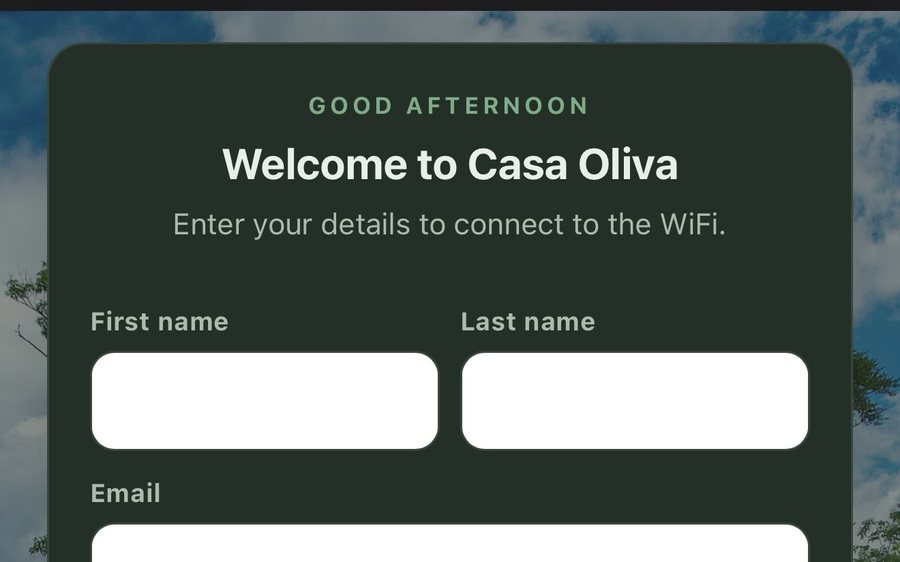
Guest WiFi
Guests join your network through a branded sign-in page and land in the guidebook. Every name and email is yours to keep. Runs on the UniFi gear you already own: $6 a network, the first free for 30 days.
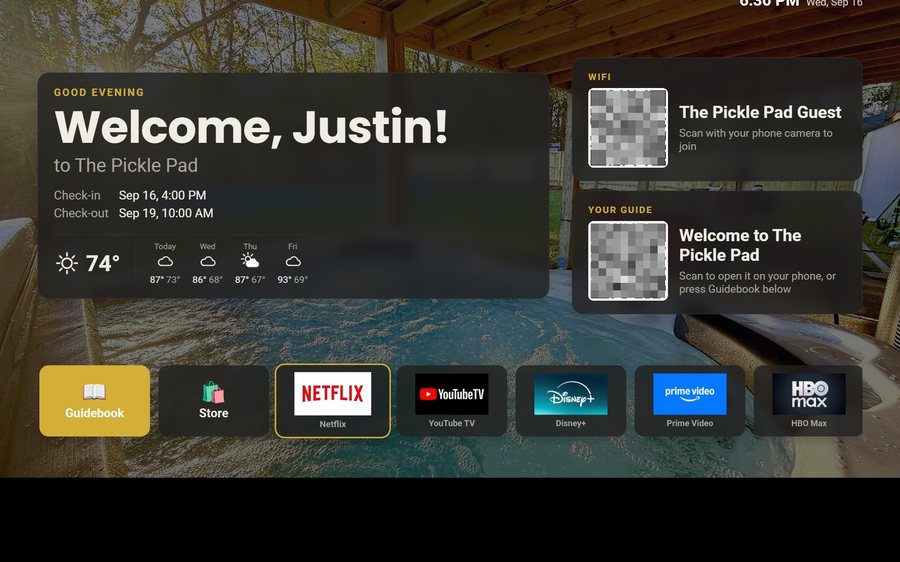
Guest TV
Your guidebook on the onn or Google TV in the living room: a welcome by name, the WiFi and guide codes on screen, and every app signed out at checkout. $6 a property for up to three TVs, the first free for 30 days.
Still stuck?
Email support@tabellara.com and a human will help; we usually reply the same day.
All help articles