HELP CENTER · GETTING STARTED
Publishing and unpublishing a guide
Building and previewing is always free; publishing is the moment a guide goes live to guests. Your first published guide is free for 30 days with no card, and after that each live guide uses one license.
The lifecycle
Step 1. Set the link, if you like
- Under the title, find the Custom link bar: tabellara.com/g/ followed by a short name we made from the property.
- Change it to anything memorable (the-lake-house, unit-4b) and click Save link.
Do this before you print a QR code or paste the link anywhere. Changing the link later breaks the old address.
Step 2. Publish
- Click Publish at the top of the editor.
- For your first guide, that is the whole step: it goes live at once, free for 30 days, no card asked.
- After the trial, or for a second guide, choose how many licenses you need and check out. Each live guide uses one license, at $6 a month or $54 a year.
Step 3. What unlocks
- The Draft notice becomes a sharebar with the public link and Copy link, Download QR Code and Download PDF Guidebook.
- Scan the QR code with your phone to walk through the real guide as a guest would.
- Stay links for connected reservations start working, and any TV or Guest WiFi network at the property can use the guide.
Editing a live guide
Keep editing exactly as before. Changes save automatically and reach the live guide within a minute; there is no separate re-publish step.
Want to try a risky rewrite? Copy the section to another draft guide first, or use Import from another guide to snapshot it.
Unpublishing
- The Publish button becomes Unpublish once a guide is live. Click it.
- The guide goes back to draft: the public link and QR stop resolving, and the license frees up instantly for any other property without touching your bill.
Nothing is deleted. Licenses float: seasonal hosts unpublish the ski cabin in summer and point that license at the lake house.
Common questions
Do I need a card to publish my first guide?
No. The first guide is free for 30 days with nothing to enter. About two weeks in we email you, and again the day before it ends; in Settings, Keep it live after the trial sets up billing that starts the day the trial ends, nothing charged before.
Does unpublishing cancel my subscription?
No. Unpublishing frees the license; your subscription keeps the license available for any guide. To reduce what you pay, lower your license count at renewal from Settings, or cancel in-app.
What do guests see if they open the link after I unpublish?
A polite page saying the guide is not available, with no property details. Stay links behave the same way.
Do downloads like the PDF keep working?
PDFs already downloaded are files on your device and keep working. The download buttons themselves require the guide to be published.
Go further
A guidebook is the start of the stay. These run on it, at the same properties, from the same dashboard.
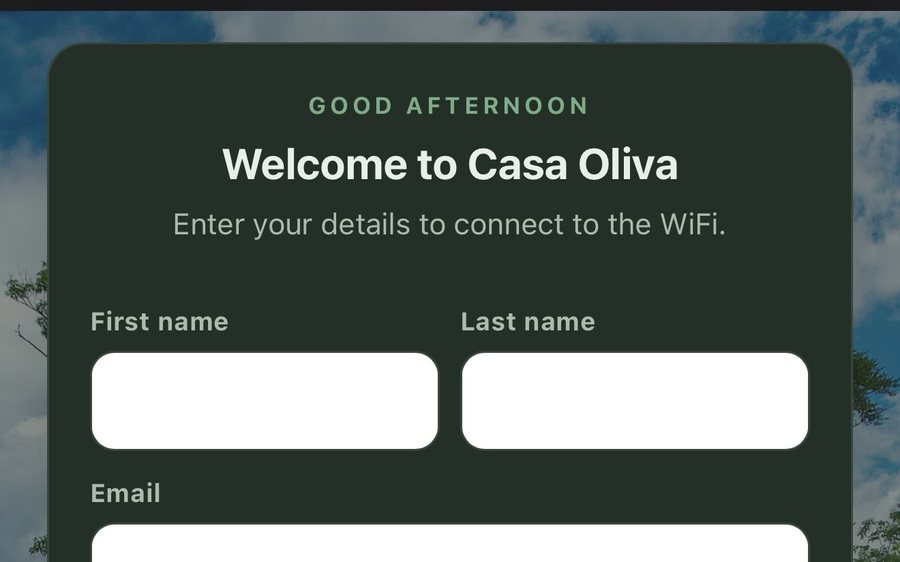
Guest WiFi
Guests join your network through a branded sign-in page and land in the guidebook. Every name and email is yours to keep. Runs on the UniFi gear you already own: $6 a network, the first free for 30 days.
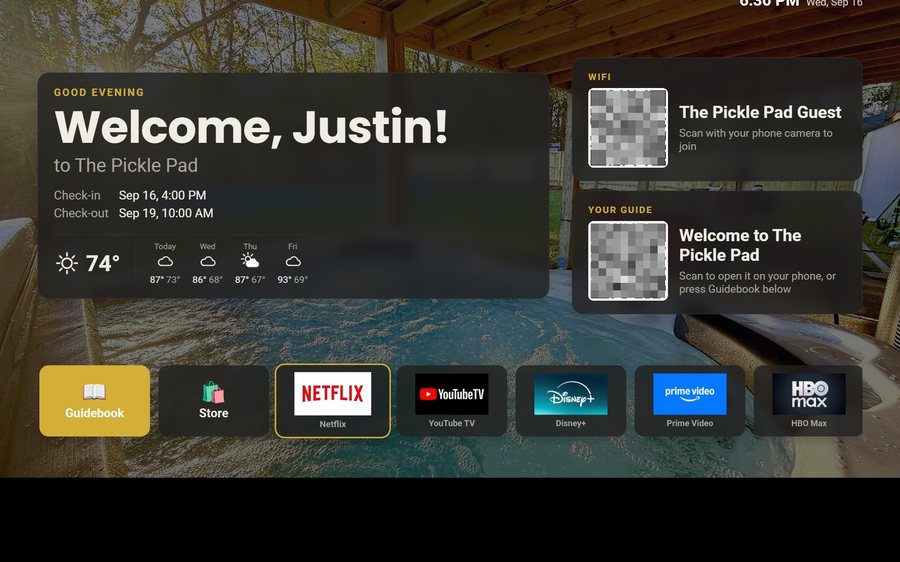
Guest TV
Your guidebook on the onn or Google TV in the living room: a welcome by name, the WiFi and guide codes on screen, and every app signed out at checkout. $6 a property for up to three TVs, the first free for 30 days.
Still stuck?
Email support@tabellara.com and a human will help; we usually reply the same day.
All help articles