HELP CENTER · ANALYTICS
Reading your analytics and exporting CSV
Every guide open and every tap is measured per page, anonymously: no guest accounts, no stored IP addresses. The Analytics page turns that into three things you can act on: whether delivery works, what guests actually read, and which QR codes and quick links earn their place.
What you'll find
The overview tiles
- Guide opens: delivery works, guests are getting the link.
- Unique visitors: actual people rather than repeat opens.
- Item opens: how deep they go once inside.
- Arrived via frame: arrivals through named QR placements.
Filter everything by property and by period: 7 days, 30 days, 90 days, All time.
The top tens
Most-read items ranks the ten cards guests open most; Deep link arrivals ranks the QR codes and links they arrive through. If guests read the hot tub card forty times and skip your restaurant list, the guide just told you what to fix.
The visitors table
- Every session is a row: when, an anonymous visitor ID, device and platform, city and state, the deep link or frame they arrived through, and how many pages they read.
- Type in the search box: a city finds that city, a two-letter state code finds that state, a QR name finds arrivals through it.
- Click a column header to sort. Click a visitor ID to follow one guest's whole session.
Quick-link taps
Every quick link on the guide's home screen counts its taps, including Book direct: the clearest revenue signal a guidebook can give you.
Export to CSV
Export CSV downloads the whole filtered set, not just the page on screen, with a column listing every page each visitor opened. Search first and the export honors it.
Twenty-five rows show per page in the app, but the export always contains every matching row.
Common questions
What guest data is collected?
No accounts, no names, no stored IP addresses. Visitor IDs are anonymous, derived from a one-way hash, and location is city-level.
Why are unique visitors lower than guide opens?
The same guest opening the guide four times during a stay is four opens and one visitor. Opens show engagement, visitors show reach.
Can I see analytics across all properties at once?
Yes. The property filter defaults to all properties; pick one to focus. The same table, search and export work at both levels.
Go further
A guidebook is the start of the stay. These run on it, at the same properties, from the same dashboard.
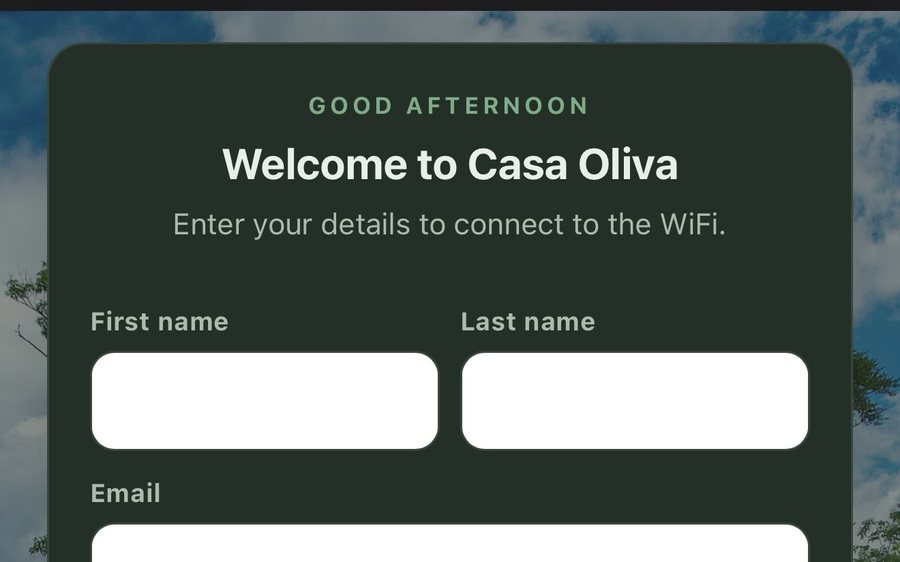
Guest WiFi
Guests join your network through a branded sign-in page and land in the guidebook. Every name and email is yours to keep. Runs on the UniFi gear you already own: $6 a network, the first free for 30 days.
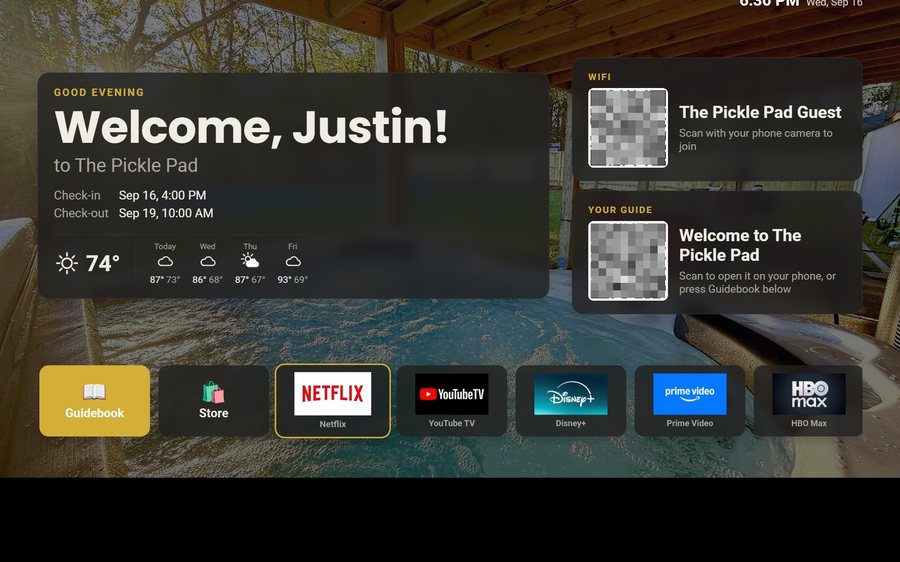
Guest TV
Your guidebook on the onn or Google TV in the living room: a welcome by name, the WiFi and guide codes on screen, and every app signed out at checkout. $6 a property for up to three TVs, the first free for 30 days.
Still stuck?
Email support@tabellara.com and a human will help; we usually reply the same day.
All help articles