HELP CENTER · SHARING
Share your guide: link, QR code and PDF
There is exactly one version of your guide, at one link. The QR code, the PDF and the message templates all point at that link, which is why changing the WiFi password tonight means it is right on every guest's phone tomorrow.
Three ways to deliver one guide
The link
- Once a guide is published, the sharebar at the top of the editor shows its address (tabellara.com/g/your-name). Click Copy link.
- Paste it into your Airbnb and Vrbo message templates: the booking confirmation, the check-in message and the day-before reminder.
Guests lose messages. Send the link in the confirmation, again the day before arrival, and back it up with a QR in the property. Better still, connect the listing and let Tabellara send each guest a personal link on its own.
The QR code
- Click Download QR Code in the sharebar. It saves a 1024-pixel PNG that opens the guide when scanned with any phone camera.
- Print it at least an inch square, dark on light, and place it where eyes go: inside the entry door, on the fridge, in the welcome binder.
It encodes your link directly, so it never expires. Every section and card has its own link and QR too, so a code by the hot tub can open the hot tub card directly. See Deep links.
The PDF
Download PDF Guidebook builds a print-ready document: a cover with your hero photo and a scan-for-the-live-guide QR, then every section on its own page with photos, in your theme's accent color. It is for hosts who like a physical binder; the QR on the cover keeps pointing at the live guide.
Free QR generators for anything else
Need a QR for your booking site or the WiFi network itself? Tabellara's free QR code generator and WiFi QR code generator make print-ready codes in your browser with nothing tracked and nothing expiring.
Common questions
If I edit the guide, do I need to reprint the QR?
No. The QR points at the link, and the link always shows the current guide. Only renaming the custom link itself changes the address.
Can guests share the link with others?
Yes, it is a normal web link. Guides are unlisted and excluded from search engines, so only people you or your guests share it with can find it. Unpublish any time to revoke access instantly.
Does the PDF update automatically?
No, a PDF is a snapshot. Re-download after major edits if you keep printed copies; the QR on its cover always leads to the live version.
Go further
A guidebook is the start of the stay. These run on it, at the same properties, from the same dashboard.
Guest WiFi
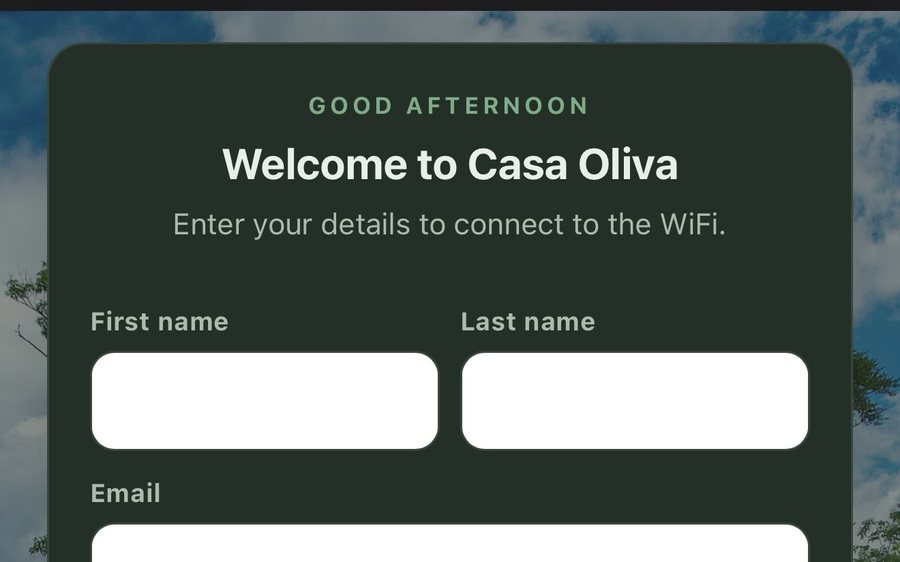
Guests join your network through a branded sign-in page and land in the guidebook. Every name and email is yours to keep. Runs on the UniFi gear you already own: $6 a network, the first free for 30 days.
Guest TV
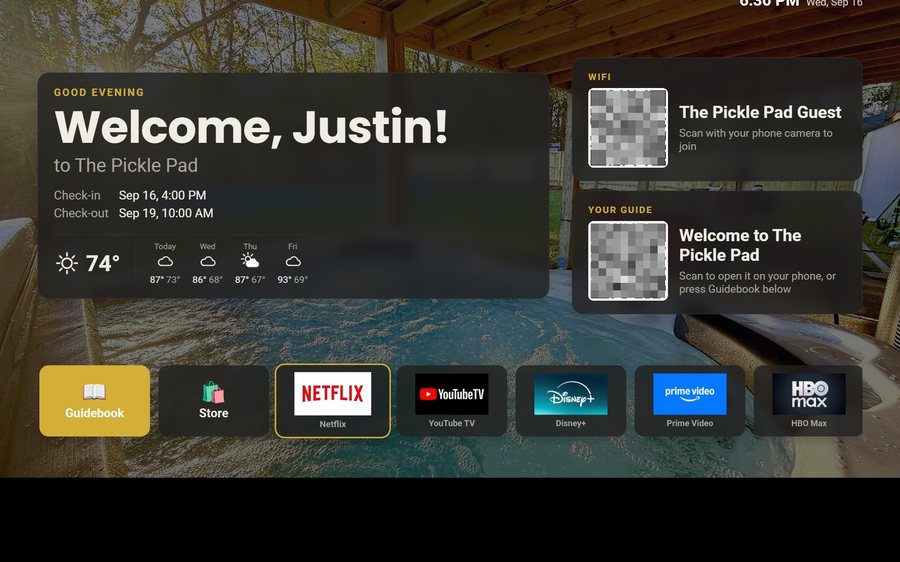
Your guidebook on the onn or Google TV in the living room: a welcome by name, the WiFi and guide codes on screen, and every app signed out at checkout. $6 a property for up to three TVs, the first free for 30 days.
Still stuck?
Email support@tabellara.com and a human will help; we usually reply the same day.
All help articles