HELP CENTER · GETTING STARTED
Switch from Touch Stay in one paste
You do not have to retype a word. Paste your guide's public guest link into the new-guide screen and every card becomes a card here, your categories become sections, bold and bullets and links carry over, and your recommended places keep their map pins. No AI rewriting is involved.
The whole move
Step 1. Copy your guest link
- Open your Touch Stay guide the way a guest would: from a message you sent yourself, or Share / Preview inside Touch Stay.
- Copy the address bar. It looks like guide.touchstay.com/guest/XXXXX. Any page of the guide works.
If your guide is PIN-protected, the link cannot be read directly. Open the guide, tap its Print / Save PDF button, and use the PDF option in Step 2 instead.
Step 2. Choose the Touch Stay option
- In your dashboard click New guide.
- Under Start from an existing guide choose My Touch Stay guidebook.
- Paste the link. A green check confirms it looks right.
Step 3. Create
- Fill in the property name (plus WiFi and times if you like).
- Click Create property and import my guide. The editor opens on your finished guide in seconds.
Step 4. Review and add photos
- Read through: house rules, door instructions and local recommendations carry over word for word, each place with its map pin.
- Add photos: connect Airbnb to import listing photos with AI captions, or upload from your Library. Photos are intentionally not copied from Touch Stay, so everything you place is full quality.
Common questions
Is this allowed?
Yes. It is your guidebook: your words, written by you, on a public link you own and choose to paste here. Tabellara reads the same page a guest would.
What exactly transfers?
All text content, structure included: your categories become sections, every card becomes a card, and bold, italics, bullets, website links and map pins carry over. Images, videos and Touch Stay-specific widgets do not transfer.
I have several properties on Touch Stay.
Repeat the paste once per property; each guide is a separate guest link and each import creates its own property and guide.
Touch Stay had a store for upsells. Does Tabellara?
Yes, on every plan. The Guest Store sells early check-in, late check-out and extras from inside your guide, paid directly into your own Stripe account with a 2% platform fee per completed order. See the Guest Store article.
Go further
A guidebook is the start of the stay. These run on it, at the same properties, from the same dashboard.
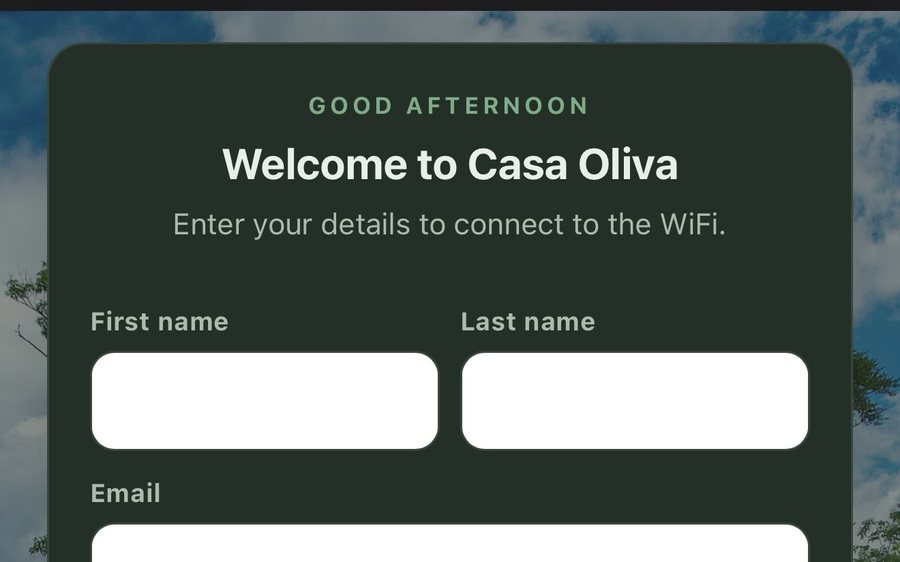
Guest WiFi
Guests join your network through a branded sign-in page and land in the guidebook. Every name and email is yours to keep. Runs on the UniFi gear you already own: $6 a network, the first free for 30 days.
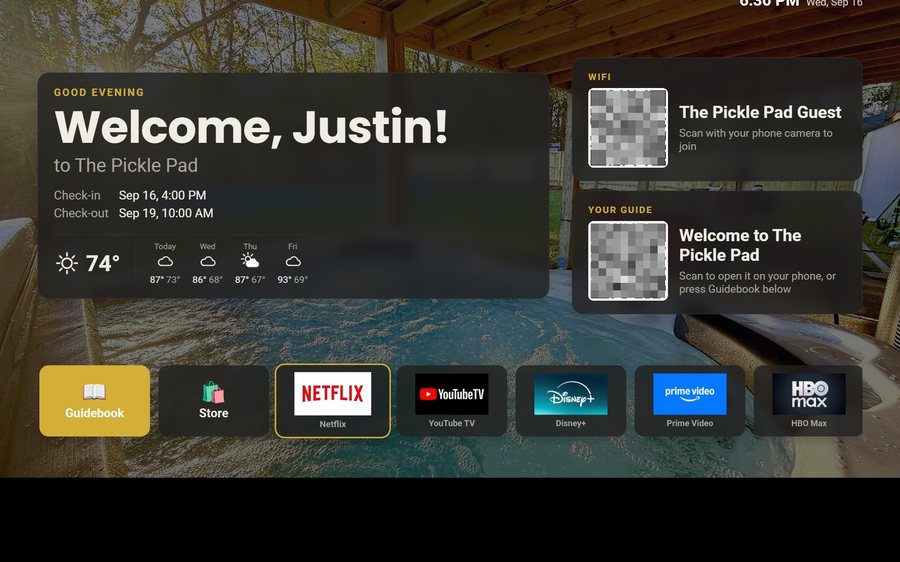
Guest TV
Your guidebook on the onn or Google TV in the living room: a welcome by name, the WiFi and guide codes on screen, and every app signed out at checkout. $6 a property for up to three TVs, the first free for 30 days.
Still stuck?
Email support@tabellara.com and a human will help; we usually reply the same day.
All help articles