HELP CENTER · GUEST WIFI
Invite Tabellara to your UniFi controller
To manage the sign-in page, Tabellara needs its own service user on your controller, plus one access point's MAC address so we can find the right site. Both take about two minutes in the UniFi console.
The two-minute setup
Step 1. Create the service user
- Log in to your UniFi console and open the People page.
- Click Create New, then Create New User.
- Name it IT Tabellara, email it@tabellara.com, check the Admin box, and click Create.
UniFi sends us the invitation; nothing else on your controller changes.
If Admin is not an option
- Go to Settings › Control Plane › Console.
- Enable Remote Access.
- Return to the People page. The Admin option now appears.
Step 2. Copy an access point's MAC address
- In UniFi open Devices and click any access point that broadcasts your guest network.
- Scroll its details panel to the MAC address and copy it.
- In your dashboard's Guest WiFi page, paste it under Access point MAC address and click Connect.
Connecting one access point claims the whole site, so every other access point at the property comes along.
The 24-hour window
Invitations never linked to a Tabellara account are removed on our side within 24 hours, so an unused invite never lingers on your controller. If yours expires before you finish, create the user again.
Common questions
What does the service user access?
Your UniFi sites and their networks and access points, enough to run the sign-in page on the guest network you choose. Setup warns you before touching any network with smart home devices on it, and existing hotspot configurations are never modified.
Can I remove the access later?
Yes, any time: delete the IT Tabellara user from your UniFi People page. Sign-in pages stop being managed; your networks keep running exactly as configured.
I have several properties on one controller.
One invitation covers the whole controller. Connecting one access point's MAC claims all of that account's sites, and each site's networks can then pair with their own guides.
Go further
A guidebook is the start of the stay. These run on it, at the same properties, from the same dashboard.
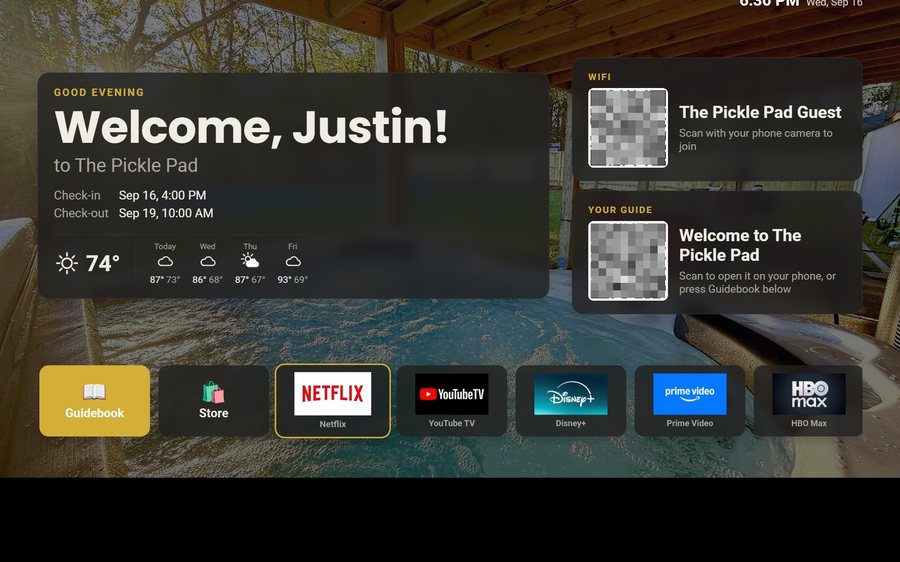
Guest TV
Your guidebook on the onn or Google TV in the living room: a welcome by name, the WiFi and guide codes on screen, and every app signed out at checkout. $6 a property for up to three TVs, the first free for 30 days.
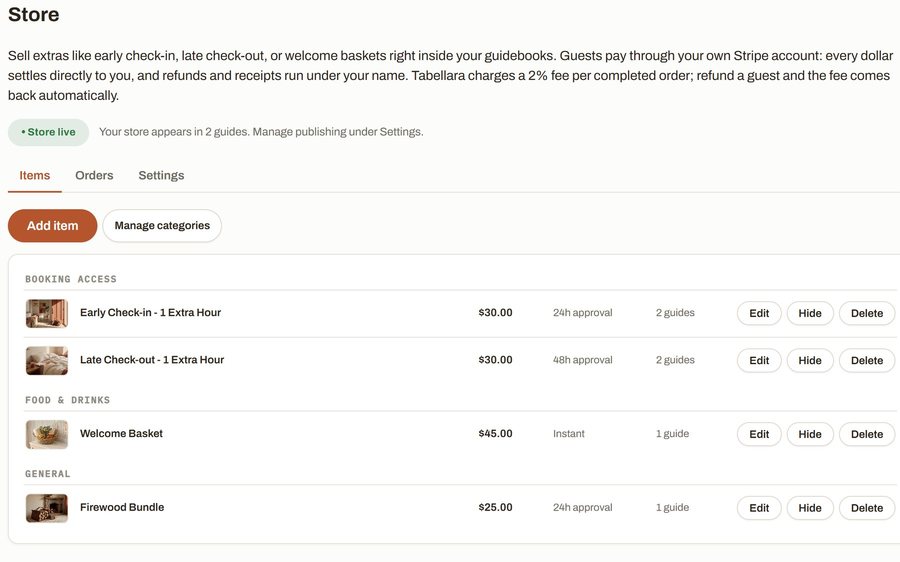
Guest Store
Sell late checkout, a welcome basket or firewood from inside the guide, paid through your own Stripe account. 2% per completed order and no license.
Still stuck?
Email support@tabellara.com and a human will help; we usually reply the same day.
All help articles