HELP CENTER · INTEGRATIONS
Connect a guide to its listing for personal stay links
Once a guide is connected to its listing, Tabellara syncs that listing's reservations and gives every booking its own stay link: tabellara.com/s/ followed by the confirmation code. Open one and the guide greets the guest by name with their dates and party size. Connecting is always your choice, per property.
What you'll do
Step 1. Open Reservations
The card at the top of Reservations lists every guide beside a Property listing dropdown. Guides are never connected automatically, not even ones the AI built from a listing.
Step 2. Choose the listing and click Connect
- Pick the listing that belongs to the guide.
- Click Connect and confirm. Nothing syncs until you do.
Step 3. Reservations sync in
Within moments the tables fill: who is in house now, the next 25 upcoming stays, and recent departures behind a link. Every row has Copy stay link and Open, and new bookings appear within seconds of being confirmed.
Step 4. What the guest sees
A stay link opens the same published guide with a personal layer on top: a greeting with the guest's first name and a strip showing their dates, nights and party size. It works through the whole checkout day, shows a friendly goodbye for a week after, then expires.
Step 5. Send links automatically
You can paste a stay link into any message by hand, but the point is never doing that.
- Airbnb: turn on the automatic message on the Journey page, or set up a scheduled message in Airbnb with our template (see Send every guest their personal guide link).
- OwnerRez: paste {BXTABELLARA} into a message template (see OwnerRez integration).
Disconnecting
Click Disconnect next to a connected guide and confirm. Syncing stops, the reservations synced for that property are deleted, existing stay links stop working, and the listing becomes selectable again for any other guide. The guide itself is untouched.
Common questions
Does creating a guide connect it automatically?
No. Building a guide from a listing, with AI or otherwise, never starts reservation syncing. Connecting is always a deliberate choice on the Reservations page, per property.
What data is synced, and for how long?
Guest first and last name, stay dates and party size, only for connected properties. Records are deleted automatically 90 days after checkout, and stay links stop resolving a week after checkout. Guest pages show the first name only.
The stay link shows a holding page instead of my guide.
Stay links render the property's published guide. If the guide is still a draft, guests see a friendly holding page until you publish; the Reservations page shows a banner whenever that is the case.
Can I move a listing to a different guide?
Yes. Disconnect it from the current guide, then connect it from the other guide's row. Only one guide can be connected to a listing at a time.
Go further
A guidebook is the start of the stay. These run on it, at the same properties, from the same dashboard.
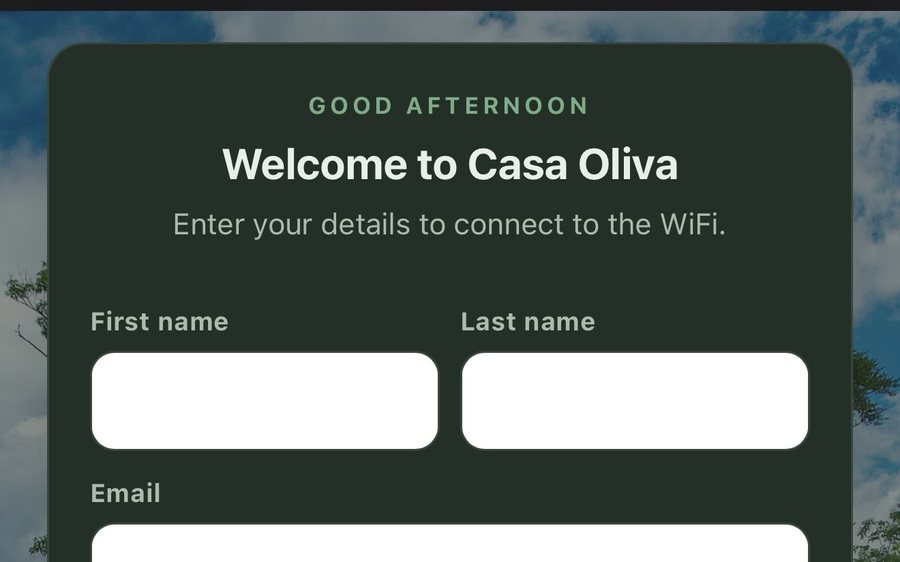
Guest WiFi
Guests join your network through a branded sign-in page and land in the guidebook. Every name and email is yours to keep. Runs on the UniFi gear you already own: $6 a network, the first free for 30 days.
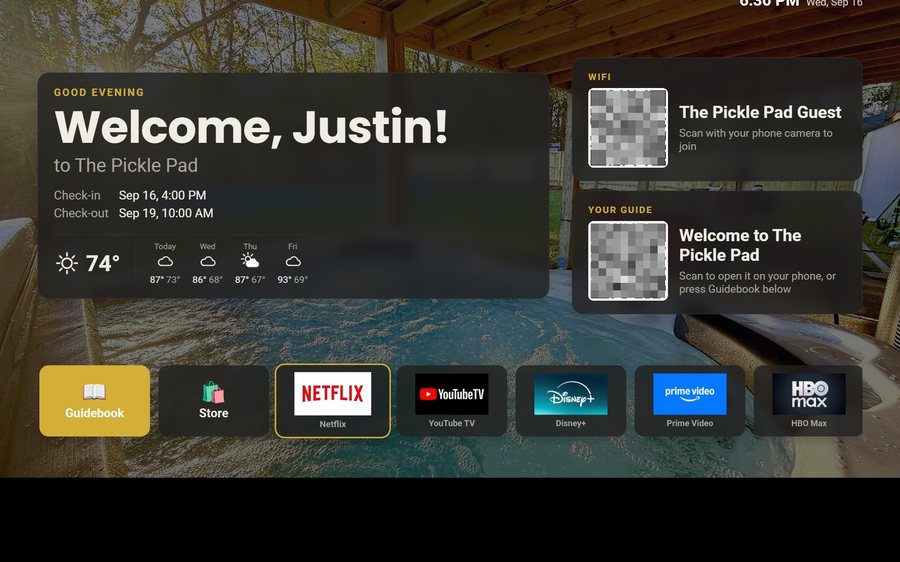
Guest TV
Your guidebook on the onn or Google TV in the living room: a welcome by name, the WiFi and guide codes on screen, and every app signed out at checkout. $6 a property for up to three TVs, the first free for 30 days.
Still stuck?
Email support@tabellara.com and a human will help; we usually reply the same day.
All help articles